As Malaysian businesses accelerate digital transformation, employees, administrators and third-party contractors increasingly require access to corporate applications, remote networks and critical business systems.
While this flexibility improves productivity, it also introduces authentication challenges. Passwords alone are no longer sufficient to protect access to sensitive systems, particularly when credentials may be exposed through phishing, password reuse or other attacks.
Multi-Factor Authentication (MFA) adds an additional layer of identity verification, helping organisations strengthen access controls and reduce reliance on passwords.
However, not all MFA solutions provide the same level of protection, flexibility or integration.
For Malaysian enterprises evaluating an MFA solution, the key question is not simply whether MFA is available. It is whether the solution supports existing infrastructure, accommodates different authentication requirements and remains practical to manage over time.
This guide explains what to look for when choosing an enterprise MFA solution in Malaysia.
What Is Multi-Factor Authentication (MFA)?
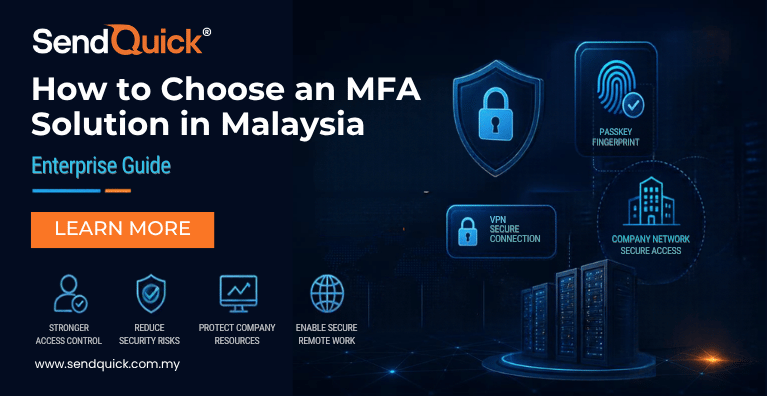
Multi-Factor Authentication (MFA) is a security mechanism that requires users to verify their identity using two or more distinct authentication factors before access is granted.
These factors generally fall into three categories:
Something you know: A password or PIN.
Something you have: A registered mobile device, hardware security key or authentication token.
Something you are: A biometric characteristic, such as a fingerprint or facial recognition.
For example, an employee accessing a corporate VPN may be required to enter a password and then approve a request using a registered authentication device.
Even if the password is compromised, the additional verification requirement makes unauthorised access more difficult.
Modern authentication technologies, such as FIDO2 passkeys, can also provide strong, phishing-resistant authentication without requiring users to enter conventional passwords.
It is important to distinguish genuine multi-factor authentication from simply requesting two credentials of the same factor type. A password followed by another knowledge-based secret does not necessarily constitute MFA.
Why Is MFA Important for Malaysian Enterprises?
Malaysian organisations increasingly operate across hybrid IT environments that include office networks, remote employees, cloud applications, legacy infrastructure and third-party vendors.
This creates multiple entry points that must be protected.
1. Protecting Remote Access
Remote work and distributed operations require employees to connect securely to corporate resources.
Virtual Private Networks (VPNs), remote desktops and enterprise applications are common access points.
Without additional authentication, compromised credentials may allow an attacker to access systems using a legitimate user’s account.
MFA strengthens the authentication process by requiring additional identity verification.
2. Reducing Password-Related Risks
Passwords remain vulnerable to phishing, credential stuffing and reuse across services.
Although MFA does not eliminate every threat, it can significantly strengthen access protection when correctly deployed.
Organisations seeking stronger resistance to phishing should prioritise authentication methods based on FIDO2 rather than relying exclusively on one-time passwords.
3. Supporting Governance and Access Control
Enterprises in banking, financial services, healthcare, government and critical infrastructure often have stringent internal security and operational requirements.
MFA supports stronger access controls and can contribute to an organisation’s wider governance and risk management framework.
However, deploying MFA alone does not guarantee compliance with any particular regulation or industry standard. Organisations should assess their specific obligations and implementation requirements.
4. Securing Third-Party and Privileged Access
External vendors, IT administrators and service providers may require access to sensitive infrastructure.
These accounts often have elevated privileges or access to operationally critical systems.
Applying appropriate MFA policies helps organisations strengthen authentication for such users without relying solely on passwords.
8 Key Factors to Consider When Choosing an MFA Solution in Malaysia
1. Support for Multiple Authentication Methods
Different employees and operational environments require different authentication methods.
For example, office employees may prefer passkeys or mobile authentication, while technicians working in restricted facilities may require hardware tokens.
An enterprise MFA solution should provide flexibility without sacrificing appropriate security controls.
Common options include:
| Authentication Method | How It Works | Key Consideration |
|---|---|---|
| FIDO2 passkeys | Cryptographic authentication using a registered device or security key | Phishing-resistant when correctly implemented |
| FIDO2 hardware security keys | Authentication using a physical security key | Suitable for high-assurance and privileged access |
| Mobile push authentication | Users approve an authentication request on a registered device | Convenient, but ordinary push approval may be vulnerable to approval fatigue and phishing |
| Software OTP tokens | Authentication application generates one-time codes | Can work without mobile network coverage, but is not phishing-resistant |
| Hardware OTP tokens | Dedicated token generates authentication codes | Useful where smartphones are restricted |
| SMS OTP | One-time code delivered through SMS | Accessible but depends on mobile connectivity and is not phishing-resistant |
| Email OTP | One-time code delivered by email | Requires access to a separate, appropriately secured email account |
What to look for: Choose a platform that supports modern phishing-resistant methods while retaining suitable options for users and applications that cannot yet adopt them.
The organisation should also establish a policy that prevents weaker fallback methods from unnecessarily undermining stronger authentication.
2. FIDO2 Certification and Phishing-Resistant Authentication
One of the most important considerations when selecting a modern MFA platform is whether it supports FIDO2 authentication.
FIDO2 is an authentication standard that combines Web Authentication (WebAuthn) and the Client to Authenticator Protocol (CTAP).
It enables authentication through cryptographic credentials, including passkeys and compatible security keys.
Unlike conventional OTP workflows, FIDO2 authentication binds authentication to the legitimate service, helping prevent attackers from successfully reusing credentials on fraudulent websites.
Why does phishing resistance matter?
Consider a scenario in which an employee receives a fraudulent email directing them to a fake corporate login page.
With traditional password and OTP authentication, the attacker may be able to capture and relay the credentials during an active phishing attempt.
With properly implemented FIDO2 authentication, the credential is bound to the legitimate service’s domain. The fraudulent website cannot use it in the same way.
This makes FIDO2 especially relevant for organisations protecting administrative accounts, remote access and sensitive enterprise applications.
What to look for: Verify the vendor’s FIDO2 certification status, supported authenticators, compatible applications and account recovery controls.
A product’s FIDO2 certification should not be interpreted as meaning that every authentication method or integration offered by the product is phishing-resistant.
3. Compatibility with Existing VPNs and Applications
For many Malaysian enterprises, MFA deployment is not limited to a single web application.
Organisations may already operate SSL VPNs, firewalls, Windows-based infrastructure, directory services and other enterprise systems.
Replacing these systems solely to introduce MFA can create unnecessary cost and disruption.
A suitable MFA solution should integrate with the organisation’s existing authentication infrastructure wherever possible.
Important integration technologies include:
RADIUS
Remote Authentication Dial-In User Service (RADIUS) is commonly used to support authentication for network access systems, including compatible VPNs and network appliances.
SAML 2.0
Security Assertion Markup Language (SAML) enables federated authentication between identity providers and supported applications.
Active Directory and LDAP
Integration with existing user directories can simplify identity management and reduce the need to maintain separate user databases.
Microsoft Entra ID
Integration with cloud identity services may be important for organisations operating hybrid environments.
Before selecting a solution, confirm the precise model, firmware version, authentication flow and deployment requirements of each system.
For instance, support for RADIUS or SAML does not automatically mean that every application or VPN will support FIDO2 passkeys through that integration.
What to look for: A solution that can work with existing infrastructure, supported by documented integration procedures and technical validation.
4. On-Premise, Cloud and Air-Gapped Deployment
Deployment flexibility can be a major differentiator for enterprises in Malaysia.
Cloud-based MFA may be convenient for some organisations. However, others require authentication infrastructure to operate within their own network environments.
These requirements may arise from internal policies, operational resilience considerations or restrictions on external connectivity.
On-Premise MFA
An on-premise solution is deployed within infrastructure managed by the organisation.
This can provide greater control over system configuration, network access and the hosting environment.
It may be appropriate for enterprises that prefer to keep authentication services within internal infrastructure.
Cloud-Based MFA
Cloud deployment can reduce the need to operate dedicated local authentication infrastructure.
However, organisations should assess connectivity dependencies, service availability, data handling arrangements and relevant governance requirements.
Air-Gapped MFA
Certain environments, such as industrial facilities or highly restricted enterprise networks, may operate without direct access to the public internet.
In these environments, authentication systems must be designed to function under restricted connectivity conditions.
A suitable air-gapped solution should support locally available authentication methods and avoid mandatory dependencies on external cloud services during normal authentication.
What to look for: Deployment options that align with network architecture, operational continuity and organisational policies.
5. Centralised Authentication Policy Management
Managing MFA across multiple departments, applications and locations can become complex.
An enterprise MFA solution should provide a centralised way to configure and enforce authentication policies.
For example, an organisation may want:
Stronger authentication requirements for administrators.
Hardware security keys for privileged accounts.
Separate access policies for employees and contractors.
Different authentication methods for designated systems.
Logs that support investigation and operational review.
Centralised policy management helps IT administrators maintain consistency and reduces fragmented authentication administration.
What to look for: Flexible policies, manageable user provisioning, clear administrative roles and appropriate authentication logs.
6. User Experience and Ease of Deployment
Security controls are more effective when employees can use them consistently.
A complicated login process may increase support requests, create operational friction or encourage users to seek workarounds.
The chosen MFA solution should accommodate different levels of technical familiarity and working environments.
For example, an organisation with office personnel, field engineers and third-party contractors may require different onboarding approaches.
Useful considerations include:
Straightforward user enrolment.
Compatibility with existing devices.
Support for users without smartphones.
Clear instructions for lost or replaced authenticators.
Administrator visibility into authentication failures.
Minimal disruption to existing workflows.
What to look for: A platform that balances appropriate security with manageable deployment and day-to-day usability.
7. Authentication Availability and Business Continuity
Authentication infrastructure is critical because users may be unable to access protected systems if the authentication service becomes unavailable.
Enterprises should therefore assess:
High availability and redundancy options.
Behaviour during network outages.
Dependence on external services.
Backup and recovery procedures.
Recovery of lost authentication devices.
Emergency access processes.
An organisation should test these procedures before expanding MFA to business-critical systems.
For restricted networks, the ability to authenticate locally may be especially important.
8. Total Cost of Ownership
Price is important, but the lowest subscription fee does not necessarily result in the lowest long-term cost.
Organisations should assess the complete cost of implementation and operation.
This may include:
Software licences or subscriptions.
Server or virtual machine resources.
Hardware security keys or tokens.
Deployment and integration services.
Maintenance and support.
Staff training.
Expansion to additional users and applications.
Some organisations may prefer a perpetual licensing option, while others may find subscription pricing more suitable.
What to look for: Transparent licensing, predictable operating costs and a deployment model that supports future growth.
FIDO2 vs OTP: Which Authentication Method Should You Choose?
Both FIDO2 and OTP-based authentication can be used to strengthen enterprise access controls, but they offer different levels of protection.
| Criteria | FIDO2 / Passkeys | Traditional OTP |
|---|---|---|
| Phishing resistance | Yes, when correctly implemented | No |
| Passwordless capability | Yes | Typically used with a password |
| Authentication process | Cryptographic verification | User enters a temporary code |
| Hardware key support | Yes | Available with OTP tokens |
| Protection against live credential relay | Designed to resist phishing-based relay | Codes can be relayed |
| Legacy compatibility | Depends on application and integration | Often suitable for legacy authentication workflows |
| Offline operation | Possible with compatible local systems and authenticators | Possible with locally validated software or hardware OTP |
For new applications and high-risk accounts, FIDO2 is generally the stronger choice where supported.
However, OTP methods may remain useful for legacy applications, restricted operational environments and transitional deployments.
A practical enterprise MFA strategy may combine several authentication methods while prioritising phishing-resistant authentication wherever feasible.
MFA Requirements Across Different Industries in Malaysia
The most suitable MFA deployment depends partly on how an organisation operates.
Banking and Financial Services
Financial institutions manage sensitive systems, privileged accounts and business-critical applications.
They may prioritise phishing-resistant authentication for administrators, integration with existing VPNs and identity infrastructure, and detailed access logs.
Government and Public Sector
Government agencies may operate systems with strict internal access requirements or restricted network connectivity.
On-premise deployment, local administration and hardware-based authentication options can be important considerations.
Healthcare
Healthcare organisations need secure but practical access to clinical applications, administrative systems and supporting infrastructure.
MFA deployments should consider user workflows, shared environments where relevant, emergency access processes and service continuity.
Manufacturing and Industrial Operations
Manufacturing facilities may have production networks, operational technology systems and remote maintenance requirements.
MFA can help strengthen access for authorised engineers and external service providers.
Where systems operate in isolated networks, organisations should evaluate locally managed or air-gapped authentication architectures.
Enterprise IT and Managed Service Providers
Businesses responsible for multiple client environments or distributed infrastructure may benefit from centralised authentication management, multiple authentication methods and integration with supported remote access systems.
How SendQuick Conexa Supports Enterprise MFA in Malaysia
SendQuick Conexa is an enterprise multi-factor authentication solution designed to strengthen access to supported networks, VPNs and business applications.
It provides organisations with multiple authentication methods and deployment options to accommodate different infrastructure and operational requirements.
FIDO2-Certified Authentication
SendQuick Conexa supports FIDO2 authentication, including compatible passkeys and hardware security keys.
This allows organisations to adopt phishing-resistant authentication for supported access workflows.
Multiple Authentication Methods
Conexa supports authentication options including:
FIDO2 passkeys and security keys.
Mobile push authentication.
Software OTP tokens.
Hardware OTP tokens.
SMS OTP.
Email OTP.
Supported digital identity methods.
This flexibility enables organisations to select authentication methods for different users and environments.
Security policies should still prioritise stronger methods where supported.
Integration with Existing Infrastructure
SendQuick Conexa supports integration technologies such as RADIUS and SAML 2.0, as well as supported directory services including Active Directory and LDAP.
These capabilities can help organisations extend MFA protection to compatible VPNs, applications and enterprise environments.
Individual integration compatibility should be validated during solution evaluation.
On-Premise and Restricted Environment Support
Conexa offers deployment options including on-premise infrastructure, virtual machines and supported cloud environments.
Its support for air-gapped environments is relevant to organisations that require locally available authentication services without relying on routine public internet connectivity.
Centralised Policy Management
Conexa helps administrators manage authentication requirements through a centralised platform, supporting consistent policies across applicable systems and user groups.
Perpetual Licensing Option
For organisations that prefer an alternative to recurring software subscriptions, SendQuick Conexa offers a perpetual licence option, subject to applicable commercial terms.
Checklist: Questions to Ask Before Selecting an MFA Vendor
Before committing to an MFA solution, Malaysian enterprises should ask:
Does the platform support FIDO2-certified authentication?
Are phishing-resistant methods available for our critical applications?
Can the solution integrate with our current VPN, firewall and directory services?
Does it support RADIUS, SAML 2.0 and other required integration protocols?
Can we deploy it on-premise or in a virtual environment?
Can authentication continue in restricted or air-gapped networks?
Are multiple authentication methods available for different user groups?
Can administrators centrally manage access policies and view authentication logs?
What are the high-availability, backup and emergency access options?
What is the total cost, including licences, hardware tokens, support and deployment?
These questions help organisations evaluate not only authentication functionality but also long-term suitability.
Frequently Asked Questions
What is the best MFA solution for Malaysian enterprises?
The best MFA solution depends on existing infrastructure, security requirements, authentication preferences and deployment constraints. Malaysian enterprises should evaluate FIDO2 support, VPN compatibility, centralised management, resilience and total cost of ownership rather than choosing based on price alone.
What is FIDO2 authentication?
FIDO2 is a set of authentication standards based on WebAuthn and CTAP that enables phishing-resistant authentication using cryptographic credentials such as passkeys and compatible hardware security keys.
Is FIDO2 more secure than SMS OTP?
FIDO2 provides phishing resistance that SMS OTP does not. SMS OTP can still add protection compared with password-only access, but one-time codes may be intercepted or relayed during phishing attacks.
Can MFA be integrated with an existing VPN?
Yes, many enterprise MFA solutions integrate with supported VPNs using technologies such as RADIUS or SAML 2.0. Compatibility depends on the VPN product, its configuration and the authentication workflow.
Can MFA work without internet connectivity?
Some MFA deployments can operate without routine internet access by using locally hosted authentication services and compatible authenticators. However, this depends on the architecture and authentication method. Push notifications and SMS or email delivery may require additional connectivity or infrastructure.
What is the difference between on-premise and cloud MFA?
On-premise MFA is hosted within infrastructure managed by the organisation, while cloud MFA relies on externally hosted services. The appropriate choice depends on infrastructure preferences, resilience requirements, operational resources and governance policies.
Does every employee need a smartphone for MFA?
No. Organisations can use alternative methods such as compatible FIDO2 security keys or hardware authentication tokens for employees who cannot or should not use smartphones.
Does MFA replace a VPN?
No. A VPN provides a network connectivity mechanism, while MFA strengthens the process used to verify a user’s identity before access is granted. They address different requirements and can work together.
Conclusion: Choose an MFA Solution That Fits Your Enterprise
Selecting an MFA solution is not simply about adding another step to the login process.
For Malaysian enterprises, the right platform should deliver stronger authentication while accommodating existing applications, infrastructure constraints and operational requirements.
FIDO2 support, integration flexibility, deployment options, centralised policy management and long-term cost are all important factors in the decision.
Organisations should also evaluate how authentication will operate during outages, how users will recover lost authenticators and whether stronger methods can be enforced for high-risk accounts.
SendQuick Conexa provides FIDO2-certified authentication, multiple authentication methods, integration capabilities and flexible deployment options to help organisations strengthen secure remote access.
Strengthen Secure Remote Access with SendQuick Conexa
Looking for an enterprise MFA solution in Malaysia?
Discover how SendQuick Conexa can support your organisation’s authentication requirements, whether you need VPN integration, phishing-resistant FIDO2 authentication or deployment within a restricted network environment.
Visit SendQuick Malaysia to explore SendQuick Conexa and discuss your MFA requirements with our team.